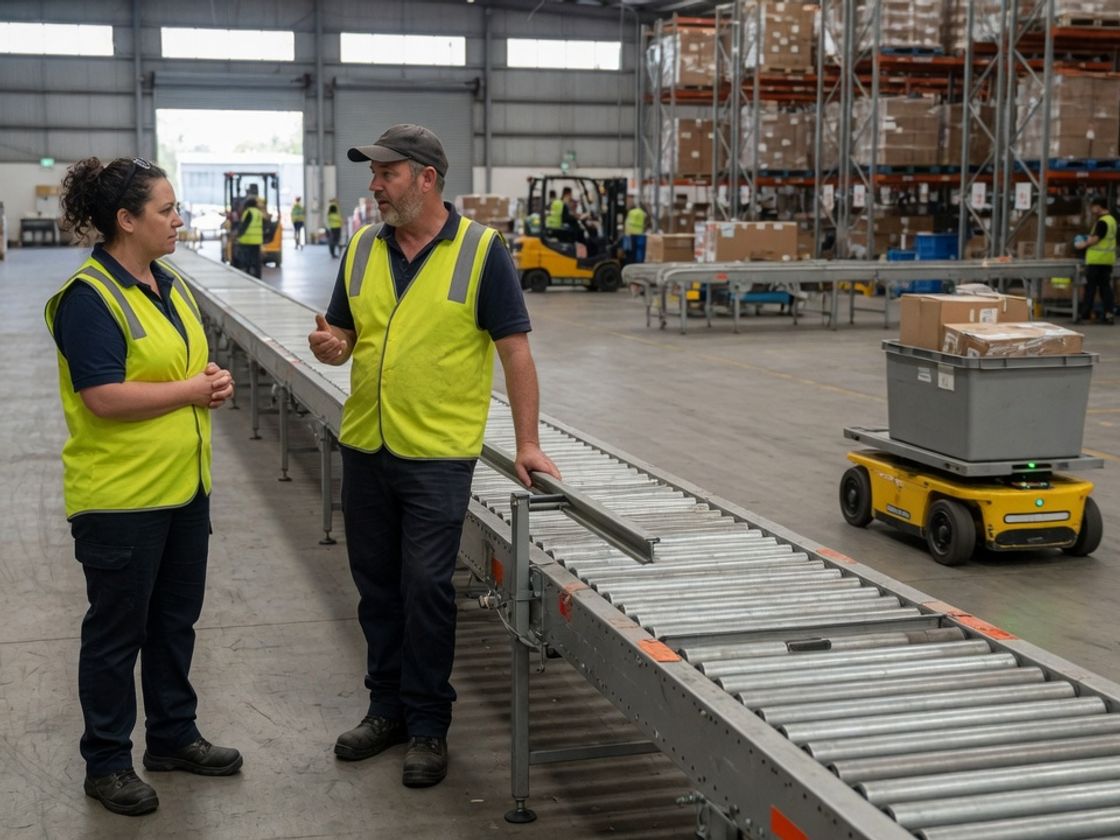
Warehouse automation jobs change in three ways when a conveyor, goods-to-person station or fleet of mobile robots goes in. Some manual tasks shrink, some change shape, and a few new roles appear. The safest plan is to hire in sequence around the commissioning date, starting with the technician who will look after the system and finishing with the extra hands that cover the changeover.
This guide gives a role-by-role plan for the 12 months around an install, for warehouse and logistics managers. It does not forecast how many jobs a system will remove or add, because a brochure figure rarely matches your own order profile and the plan works without one.
Which warehouse roles shrink, change or grow with automation?
Manual travel, lifting and loading tasks shrink first, exception handling and system support grow, and most roles in between change rather than disappear. The list below describes typical effects, and your own freight will decide how far each one goes.
- Pickers - Shrinks or changes: with pick to light or goods-to-person, less time goes on walking and searching, and more on working a fixed station and keeping accuracy up.
- Loaders and pallet movers - Changes: conveyors and mobile robots can take over some tote and pallet movement, while trucks and awkward freight often stay manual.
- Automation technician - Grows: keeps conveyors, sorters, robots and their controls running.
- Systems operator - Grows: monitors the system and acts as the autonomous mobile robot operator when a unit stalls or needs charging.
- Exceptions handler - Grows: deals with damaged, short, oversize or mislabelled items the system cannot process.
- Data-literate supervisor - Grows: reads system reports, spots a slow zone and decides what to change.
A site that ships heavy, irregular or mixed items by hand will see less change than one moving uniform cartons, so work through a week of real orders first.
When should you hire each role relative to commissioning?
Hire the automation technician first, and add the operating roles as the system becomes ready to learn on. For example, one workable sequence looks like this, with the month counts as illustrative planning points that your integrator's schedule should replace.
- 9 to 12 months before go-live: plan and consult. Map the tasks the system will take over and ask the people who do the work what it is likely to miss.
- 6 to 9 months before: hire the technician. Start recruiting one permanent automation technician so that person is present for installation and commissioning. Choose the staff you will retrain at the same time.
- 3 to 4 months before: name the operators, exceptions handlers and supervisor. Train them while the system is being built, on test runs rather than live orders.
- Go-live weeks: add temporary cover. Run manual and automated processes side by side for a short period, with extra hands for double-handling and manual fallback.
- 3 to 6 months after: review before hiring more. Compare throughput, fault hours and exception volumes with the plan, then decide on a second technician, on-call cover or redeployment.
The technician comes first because every other role depends on a working system.
What does automation technician hiring involve?
An automation technician installs, diagnoses and repairs the electrical, mechanical and control parts of the system, and it is usually the role your site has the least experience in hiring. Jobs and Skills Australia describes one related occupation, electronic instrument technician, as installing and commissioning control systems used to automate processes, modifying and upgrading them, and carrying out routine maintenance and fault diagnosis. It lists the skill level as Certificate IV, or Certificate III with at least two years of on-the-job training, and says registration or licensing may be required.
Check what your state requires for the work the technician will do before you rely on a candidate's word. Chandler's guides on robotics technician hiring and mechatronics technician recruitment cover the role in depth: the first sets out practical bench tests for fault-finding, the second a skills matrix for people who mix mechanical, electrical and control skills.
Safety is part of the hiring brief. Safe Work Australia's model code of practice on plant says a business must give the necessary safety information to people installing, commissioning, testing, maintaining or repairing plant, and lists industrial robots among the plant with specific controls. It is written for the national model work health and safety laws. In Victoria, WorkSafe's plant health and safety guide says employers' duties come from the Occupational Health and Safety Act 2004 and the Occupational Health and Safety Regulations 2017, so treat the model code as guidance and check the Victorian rules for your site. This is general information, so check the linked sources or get advice for your own site.
How do operators, exceptions handlers and supervisors fit in?
These three roles run the system day to day, and most can be filled from your current team. The systems operator needs comfort with screens and alerts. The exceptions handler needs the product knowledge a good picker already has.
With pick to light, the lights tell the picker what to take, so the job moves from knowing where stock sits to working quickly and accurately and flagging the shortfalls the lights cannot fix.
The supervisor role changes most, because a data-literate supervisor reads throughput and fault logs, not only who turned up. Chandler's post on warehouse AI adoption and spreadsheets looks at why many sites still run stock control from spreadsheets, so test your supervisors' data habits early rather than assuming them.
Can you retrain existing staff before hiring from outside?
Yes, and it is usually the first option to try, because current staff already know your freight and layout. Start with people who show reliability, accuracy and interest in the system, and give them time on the equipment before go-live.
Consultation matters here for two reasons. Safe Work Australia's model plant code says to consult workers as early as possible when planning to introduce new plant or change the way plant is used, which is sound practice on a Victorian site too. The Fair Work Ombudsman's page on redundancy says redundancy can happen when a business introduces new technology, and that a dismissal is not a genuine redundancy if the employer could reasonably have given the employee another job in the business or skipped the consultation steps in the relevant award or agreement.
Looking first at moving a picker into an operator or exceptions role is therefore practical, and the Fair Work Ombudsman notes it cannot decide whether a particular redundancy is genuine. This is general information, so check the Fair Work source or get advice before you change anyone's role.
How can labour hire bridge the transition?
Labour hire covers the gap while permanent staff train, and it adds capacity around go-live without fixing a headcount before you know what the system needs. Typical uses are shift cover for staff in training, extra hands during parallel running, and manual fallback while the system settles. Chandler Personnel provides labour hire and permanent recruitment for warehousing and logistics employers.
Temporary workers still need a proper site induction. WorkSafe Victoria's guidance for labour hire hosts lists training, instruction, information and supervision, making sure the worker understands the workplace's safety requirements, and ensuring the worker has the right skills and knowledge to do the work safely among a host's duties. Keep temporary workers on manual tasks outside guarded zones unless they are trained and authorised, and do not use them to cover the technician role.
Related Resources
- WorkSafe Victoria on plant and your legal duties
- WorkSafe Victoria on consulting your workers
- Trades and services recruitment
- Permanent recruitment
- Request staff form
Frequently Asked Questions
What jobs does warehouse automation create?
Typical new or growing roles are the automation technician, systems operator, exceptions handler and a supervisor who works from system data. Titles vary by site and system.
Will automation replace warehouse pickers?
That depends on the system and your freight, and no single job-loss figure fits every site. Test the effect on your own order profile and review it three to six months after go-live.
When should I hire an automation technician?
Before go-live, so the technician can attend installation and commissioning. As an illustrative planning point, start recruiting six to nine months out, then adjust to your integrator's schedule.
Do I have to consult staff before installing automation?
Often, yes. Safe Work Australia's model plant code says to consult workers as early as possible when planning new plant, and the Fair Work Ombudsman says every award and agreement has a consultation process for major workplace changes likely to have significant effects on employees. Check your own award or agreement.
How can I use temporary workers during an automation install?
Use them for manual tasks, shift cover for staff in training and parallel running around go-live. Give them a full site induction and keep them out of guarded zones unless they are trained and authorised.
Plan warehouse automation jobs around go-live
Warehouse automation jobs are easier to fill when you hire in a sequence: technician first, trained operators next, temporary cover at go-live and a review after a few months. Offer the new roles to current staff, consult them early and avoid any promise about headcount until the system has run on your own volumes. Start this week by listing every task in your busiest shift and marking which ones the system will take, change or leave alone.